Netflix
Build an Agent that Never Sleeps
5 hours, 1 minute
CC

Course Description
Build background agents to monitor and take action on any task, or loop you in when they can't. Create an incident-response agent that handles events, routes risky actions through human approval, and make retries safe when a tool’s outcome is uncertain. Stay in control as you run reliable agent workflows behind the scenes.
Prerequisite: Comfort with modern TypeScript/Node.js and the command line. Experience building agents is also helpful.
Preview
Course Details
Published: October 12, 2026
Rating
Learning Paths
Learn Straight from the Experts Who Shape the Modern Web
Your Path to Senior Developer and Beyond
- 300+ In-depth courses
- 24 Learning Paths
- Industry Leading Experts
- Live Interactive Workshops
Table of Contents
Introduction
Section Duration: 7 minutes
 Scott introduces background agents and explains how they differ from chat agents. He then demos the finished checkout-service triage agent, including the activity feed, the inbox, and a live run that resolves after he answers its request for help.
Goal & Loop
Section Duration: 1 hour, 42 minutes
 Scott discusses how people define a background agent, then explains why they are more durable and productive than synchronous chat agents. He covers why the harness, not the LLM, should enforce approvals and previews the observe-decide-act loop.
 Scott walks through course setup: checking out the lesson-one branch, installing dependencies, creating the .env file, and getting a free Neon database and an OpenAI key. He then runs the DB push, preflight check, and seed, and starts the agent API, web app, and mock checkout service.
 Scott explains the goal of lesson one: having the harness observe an alert from the checkout service and act on it through the observe-decide-act loop. He covers the service state as the agent's "world," the world, run, and execution history states, and the small set of available actions.
 Scott starts the checkout service with a feature fault, explains the difference between an agent and a harness, and introduces Inngest. He then begins writing the workflow, adding the event trigger, a single step, an eight-cycle loop, state observation, and a deterministic goal check that writes the final report.
 Scott adds the LLM call by having choose action pick the next action using structured outputs. He then records the decision and answers questions about deterministic versus LLM-based goal checks and whether a non-generative model could replace the LLM.
 Scott adds harness checks that catch request-for-help and rollback decisions, and explains why you have to break out of an SDK's built-in tool loop to do this. He then executes all other actions through the service's operations endpoint, records the results, and escalates the run if it hits the loop limit.
 Scott walks through the whole workflow one more time, from observing state to choosing an action, running the safety checks, executing it, and looping. He explains why every action must update the state, and answers a question about what happens when the agent's "complete" decision disagrees with the deterministic goal check.
 Scott runs the harness against a feature fault and uses the activity feed to trace each loop's observation, predicted action, and result. The agent inspects the logs and then keeps choosing to disable the feature until it hits the eight-loop limit, since terminal actions and approvals aren't built yet.
 Scott encourages students to trace the loop themselves and check whether the agent picks the right action for the observed state. He then tours the Inngest dev dashboard, describes the database schema for events, actions, and runs, and explains the agent keeps repeating itself because it isn't given its action history yet.
Durable Steps
Section Duration: 1 hour, 16 minutes
 Scott explains why the single-step loop isn't durable: if the server dies, the whole step reruns. He covers splitting the work into memoized steps, why workflow code must be deterministic and steps idempotent, and that resuming means replaying cached step results, not restoring the JavaScript stack.
 Scott explains what Inngest stores (step results as checkpoints) versus what the app stores in Postgres (business logic), and how versioning handles workflows that are already running. He then switches to the lesson-two branch and writes an execute action helper that logs the act activity, calls the service's operations endpoint, and records the result or the failure.
 Scott replaces the single-step loop with a loop in the workflow itself, first checking that the run is valid and not already in a terminal status, then rechecking at the top of every cycle. He puts observe state, write report, and complete run in their own steps, with the rule of thumb that async work goes in a step, one thing per step.
 Scott puts choose action in a step and explains why using a useMemo analogy: LLM calls are non-deterministic, cost money, and would return different results on replay. He also wraps set iteration and record decision in steps, discusses batching them, and answers a question about Inngest's cached results versus database state.
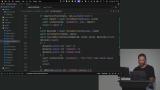 Scott adds handling for the wait, complete, and request-for-help decisions. Complete writes a report and marks the run done in separate steps, while wait and help are placeholders that escalate the run. He also explains why generating the action ID outside a step is fine, since no logic depends on its value.
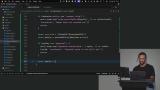 Scott adds handling based on each action's policy (read, write, approval, help) instead of per-action checks, then runs the action in a step, logs stale results, and loops. He runs the new workflow against a feature fault and traces the activity feed: inspect logs, inspect changes, disable feature, then a healthy state and the final report.
Human in the Loop
Section Duration: 1 hour, 24 minutes
 Scott introduces lesson three, where the agent can wait for the world to change instead of acting immediately. He explains why the agent, not the harness, should choose to wait or ask for help (both are non-destructive), and answers questions about running many instances of the same workflow and grouping related events into one run.
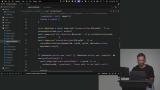 Scott writes the wait handling in the workflow: if the agent claims "complete" but the goal check disagrees, the harness rejects it. Request-for-help is logged as a placeholder, and the run is set to waiting. He then reads through the Inngest docs for waitForEvent and explains how it freezes the workflow until an event arrives or a timeout passes, which is why workflow code must be deterministic.
 Scott builds the wait loop, checking the run's status on each pass and using step wait for event to pause for the incident-updated event (filtered by run ID) or a 10-second timeout. He explains why this is better than a step sleep followed by polling an event store, and removes the now-redundant request-for-help branch.
 Scott runs the service with a dependency fault that recovers after 30 seconds and traces the run: the agent asks for help because the upstream payment gateway is outside its control, then resumes when the recovered event arrives and completes. He points out that nothing LLM-related changed, and that a runbook could steer the agent to wait instead.
 Scott introduces lesson four, human in the loop, and explains why he treats an inbox, not chat, as the interface for background agents. He explains why the agent shouldn't know which actions need approval, since the harness enforces it, and uses rollback release as the approval-required action. He also shares readings on human-in-the-loop and prompt injection.
 Scott writes the approval flow by importing the proposal helpers and storing a proposed action with a snapshot of the state version in the database. He then waits for the approval event filtered by proposal ID, re-reading the proposal from the database each time, and explains why the database is the source of truth. If it's rejected, he escalates the run. If it's approved, he rechecks the state, marks the proposal stale and loops again if the state changed, and otherwise executes the action.
 Scott tests the flow with a release fault: the agent picks rollback release, the harness creates a proposal that appears in the inbox, and he approves it. The workflow resumes, rollback updates the state, the service recovers, and the run completes. He then answers questions on how waiting works across runtimes, what happens after approval, and why Inngest's dashboard is the best way to visualize the loops.
Retries & Handoffs
Section Duration: 19 minutes
 Scott explains how stable action IDs make retries safe, and why steps should be idempotent and not bundle several destructive async actions together. He replaces the random UUID with a deterministic action ID built from the run, cycle, and action, and adds cancel on to the workflow so two workflows can't run with the same run ID.
 Scott wires up the ask-for-help action by removing the request-for-help placeholder and handling it with the same wait-for-event flow as approvals. After the person answers, the harness uses continue to loop again so the agent sees the answer in its state. He tests it with a dependency fault: the agent asks for help, he replies from the inbox, and the run completes.
Wrapping Up
Section Duration: 10 minutes
 Scott wraps up the course by pointing to the capstone exercises on human-in-the-loop controls, uncertain knowledge, and evals, along with alternatives to Inngest like DBOS, Temporal, Vercel Workflows, and Upstash. He then answers questions about using coding agents to build background agents, his email agent, Orgo and BrowserBase, and applying this architecture to software development.
Earn a Completion Certificate
After completing this course, you'll receive a certificate of completion that serves as proof of your achievement, showcasing your expertise, and commitment to professional development. You can easily share this certificate on your LinkedIn profile to highlight your new skills and demonstrate continuous learning to potential employers and professional connections.